Cairo Restaurant Application
We present to you our new design for the "Cairo Restaurant" app, a complete digital experience that takes you on a tour of the most delicious Egyptian and international dishes.
- Higher Engagement
- A250
Download Application

What this app does
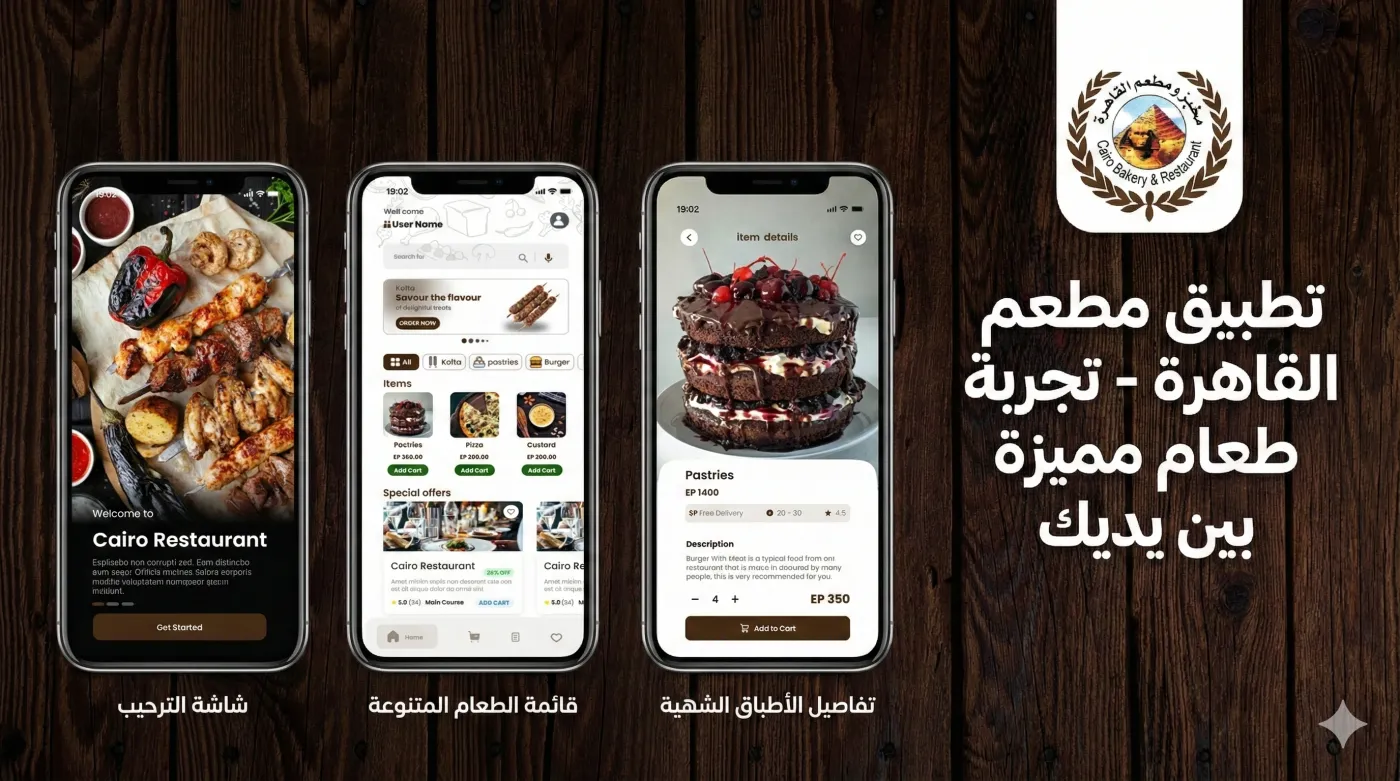
Cairo Restaurant Welcome Screen
An engaging welcome interface displaying a high-quality background image of the restaurant's dishes with the "Cairo Bakery & Restaurant" logo, featuring welcome text and a "Get Started" button to begin using the app.
Main Menu and Special Offers Screen
The application's main screen provides a search bar, various food categories (like Kofta, pastries, Burger), displays popular items with their prices, and a dedicated section for special offers and discounts.
Product Details and Add to Cart Page
الوصف بالإنجليزية: A detailed page for each product showing a large, clear image, price, ingredient description, user rating, quantity selection option, and an "Add to Cart" button to complete the purchase.
Screens & Gallery
A closer look at the main app screens and how travelers interact with them.
Splash
Welcome Screen: A mouthwatering start with professional photos that will tantalize your senses. ✅ Diverse Menu: Easy and clear browsing of all items with attractive photos and transparent prices. ✅ Delightful Dish Details: Every dish has a story! Learn about the ingredients, prices, and add your favorites to your basket with a single tap.
This app is designed to be:
Visually appealing: Warm colors and a modern design that reflects the restaurant's identity.
Useful: An intuitive interface that ensures a smooth and enjoyable ordering experience.
Order Encouraging: Dishes are presented in a way that whets the appetite and boosts sales.

Home
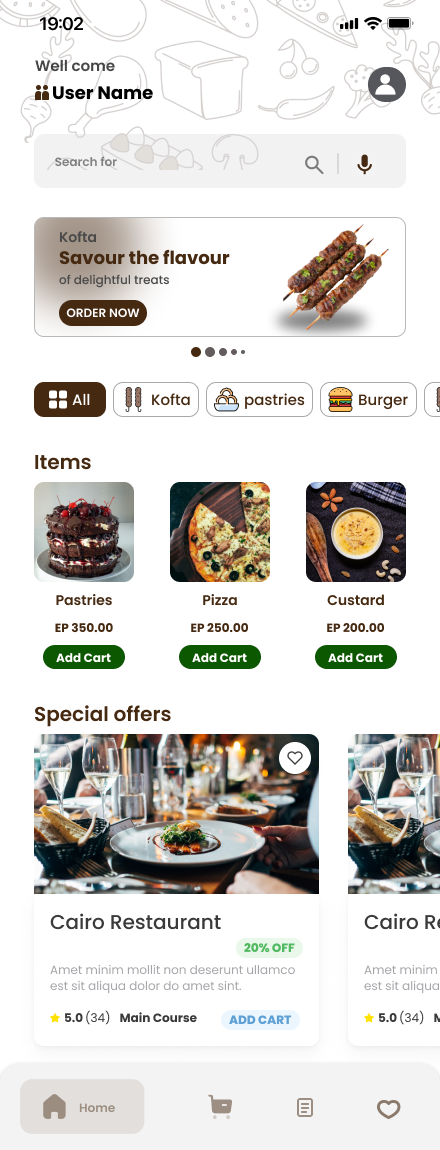
Home/Menu Screen: This screen is the center of the application. It features an organized design that makes it easy for users to browse their favorite dishes. It includes:
A search bar for quick access to dishes.
Clear categories (such as: All, Kofta, Pastries, Burgers) for easy discovery.
An item list displaying attractive photos of dishes along with their names and prices.
A Special Offers section to highlight discounts.
A bottom navigation bar to access the rest of the application.
Item Details Screen
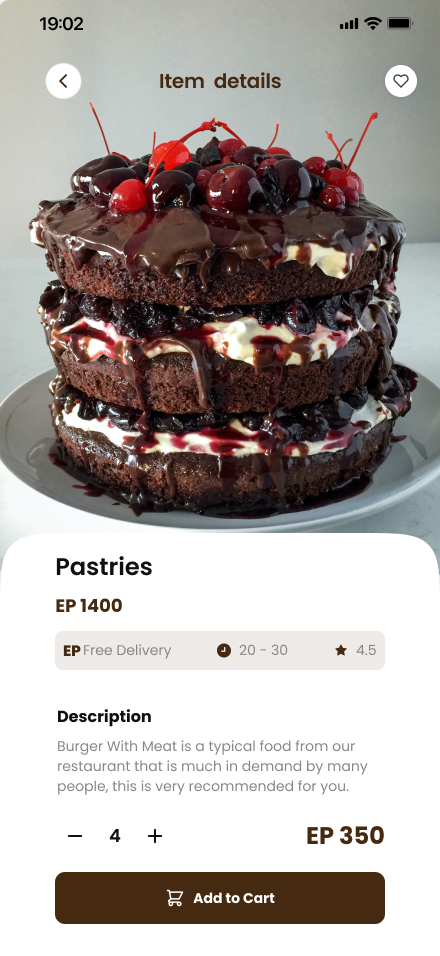
Item Details Screen: A dedicated page providing all the information a user needs to make a purchase decision. The screen focuses on a large, detailed image of the item (such as the chocolate cake shown) to highlight its quality. The screen includes:
The item's name, price, and user ratings.
A detailed description of the ingredients to ensure the customer knows exactly what they are ordering.
Easy tools to control the quantity ordered (+/-).
A prominent "Add to Cart" button for quick order completion.
Tech Stack
- fluteer
- Laravel
- MySQL
Project Scope
- Developing Interactive UI Screens (Welcome, Home, Item Details, Wishlist)
- Building an API for Data Management and Communication between the App and Database.
Interested in a similar app?
Get in touch for a live walkthrough and a free discovery workshop.